Loopback only
EmberEdge answers on the node itself and nowhere else. Nobody signs in to it from another computer on the plant network.

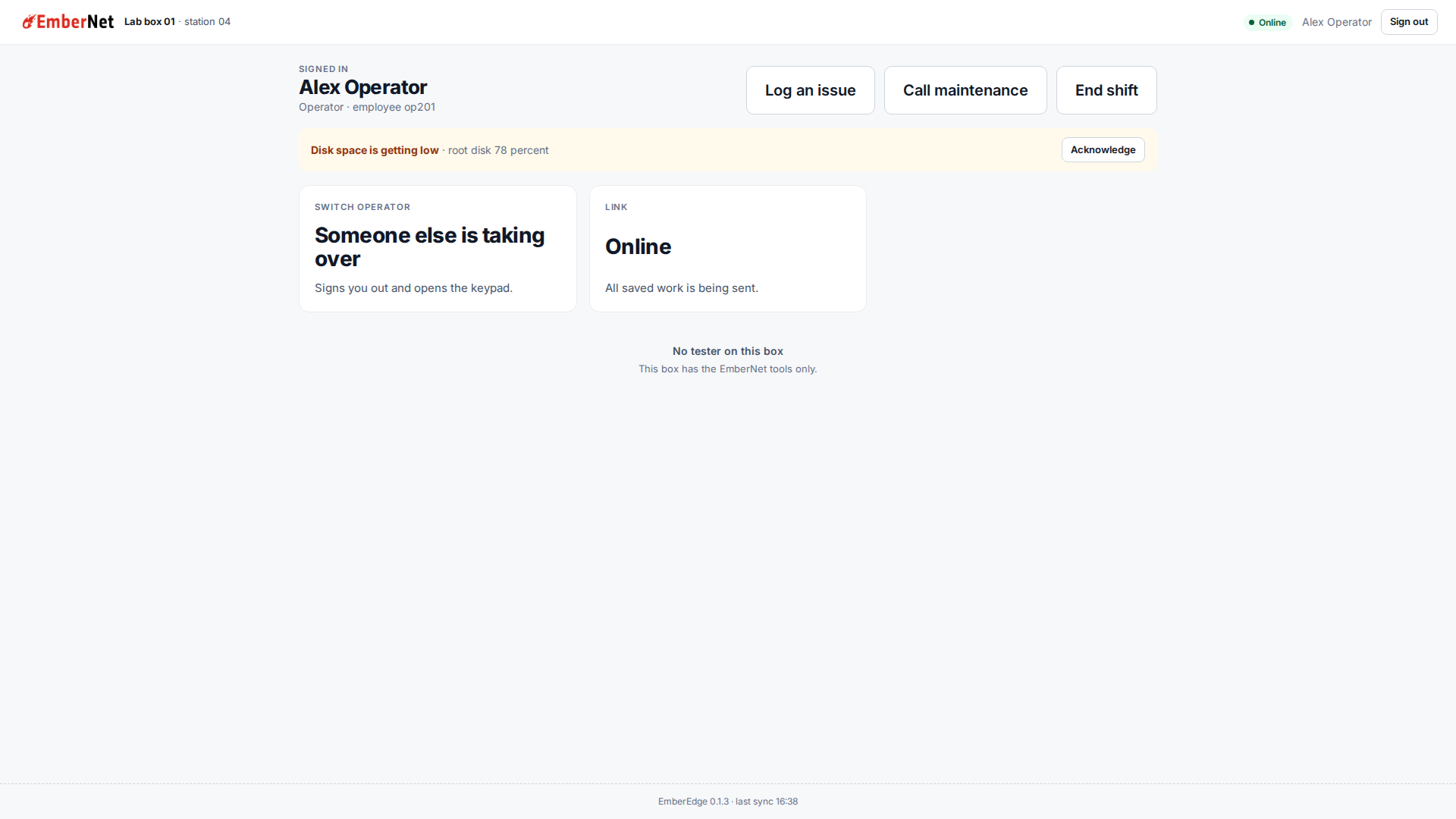
EmberCORE runs the whole estate. EmberEdge is what an operator sees at the node: sign in with a PIN, log an issue, call maintenance, end a shift. It keeps working when the link is down, and it sends everything up when the link is back.
EmberEdge answers on the node itself and nowhere else. Nobody signs in to it from another computer on the plant network.
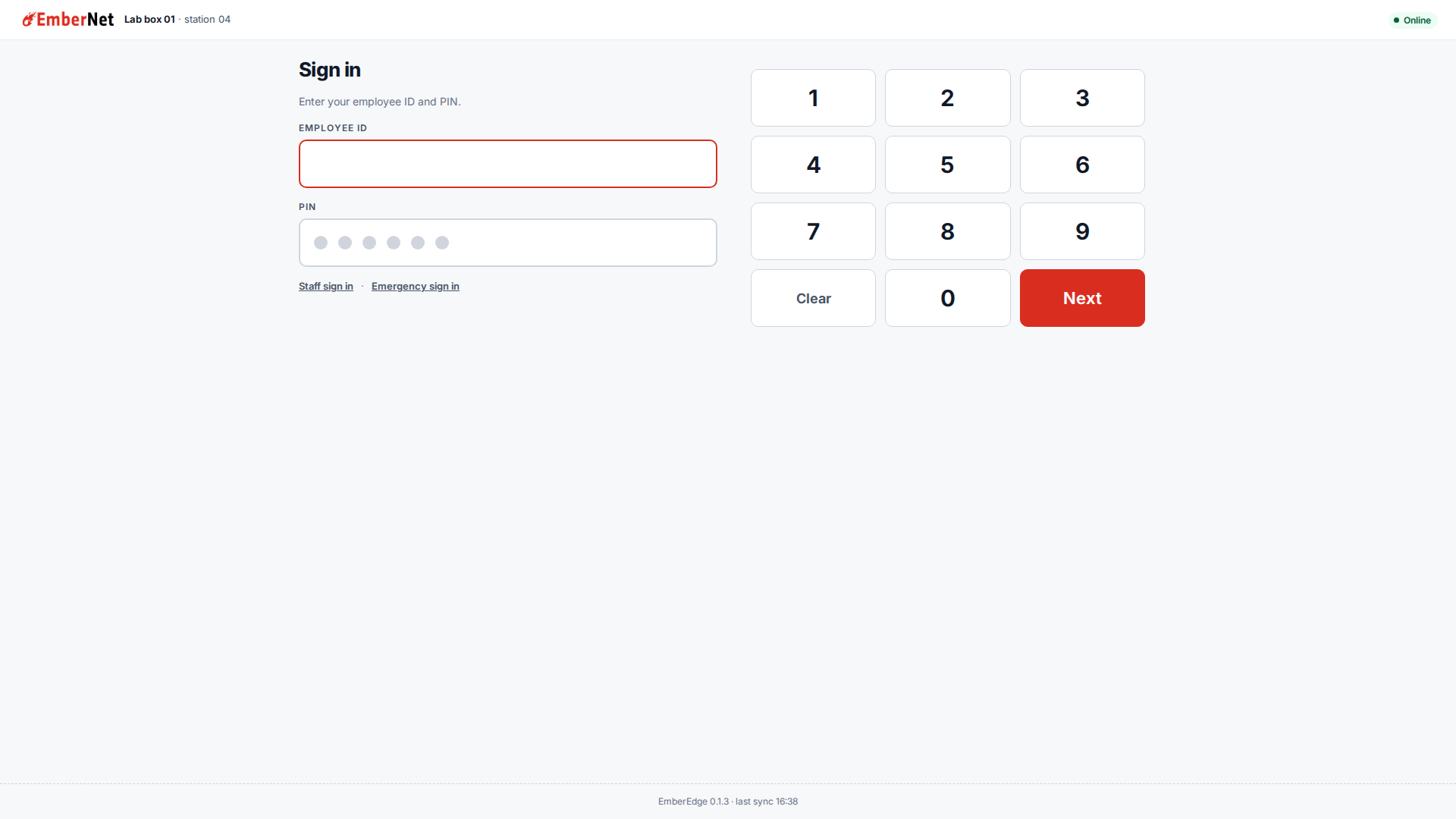
Operators use an employee ID and a PIN. People assigned to the box use their email and the passphrase they set in EmberCORE. Both work with no link.
It ships hardened and runs with the least privilege it needs, and it locks an ID after repeated wrong PINs.
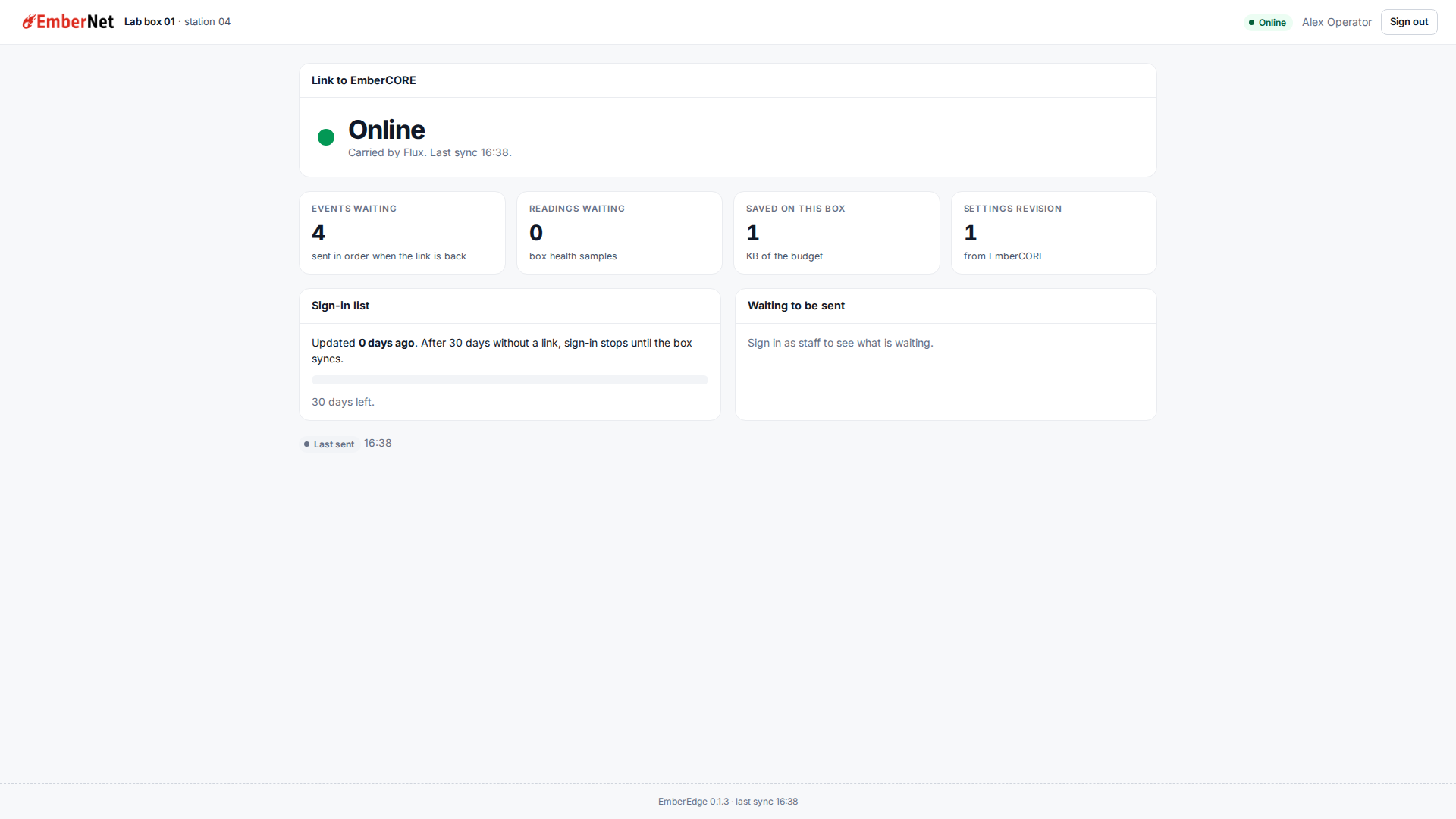
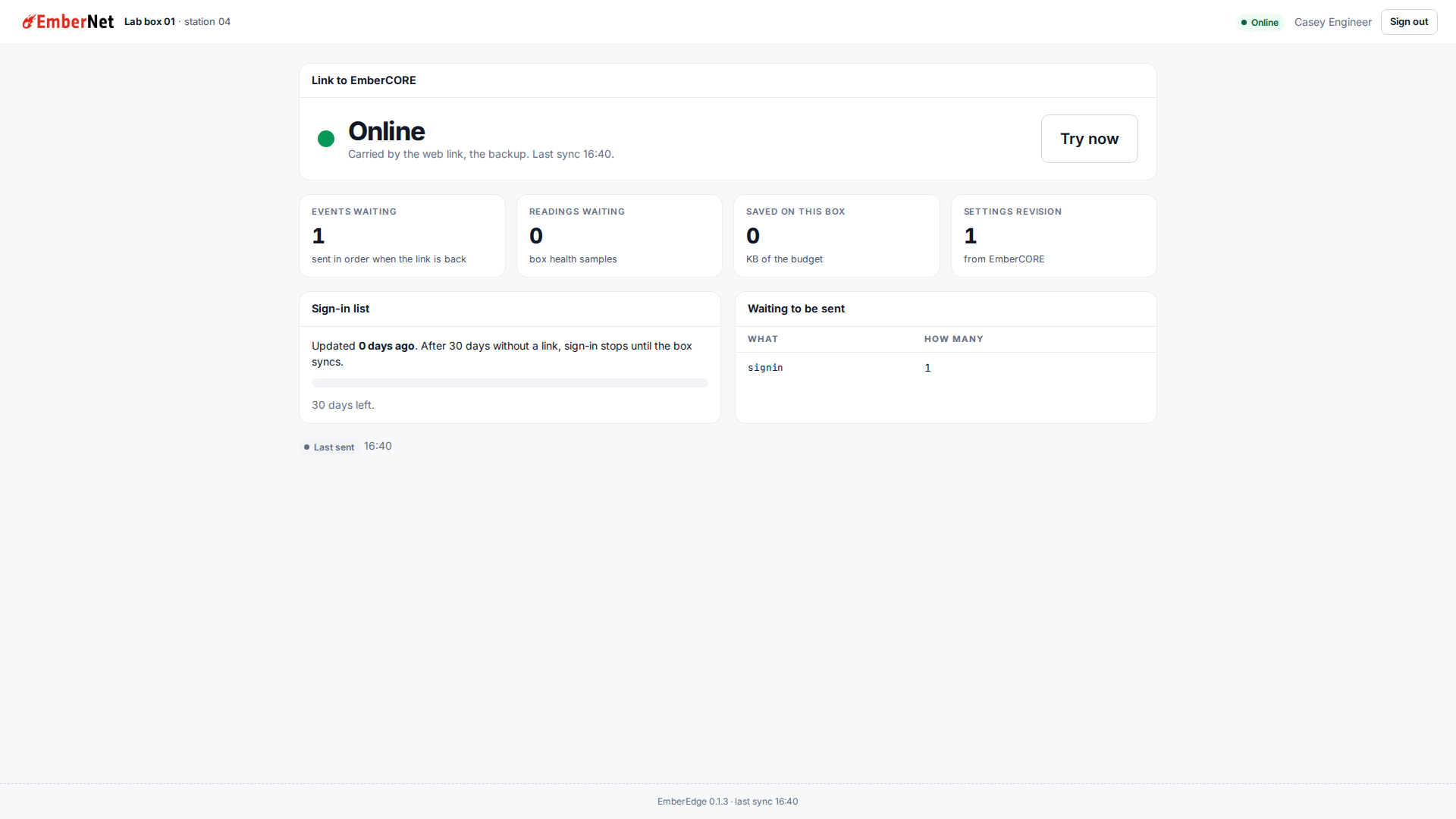
Flux carries the sync first, with HTTPS to EmberCORE as the backup. With neither, it keeps its own journal and sends it in order when a link is back.
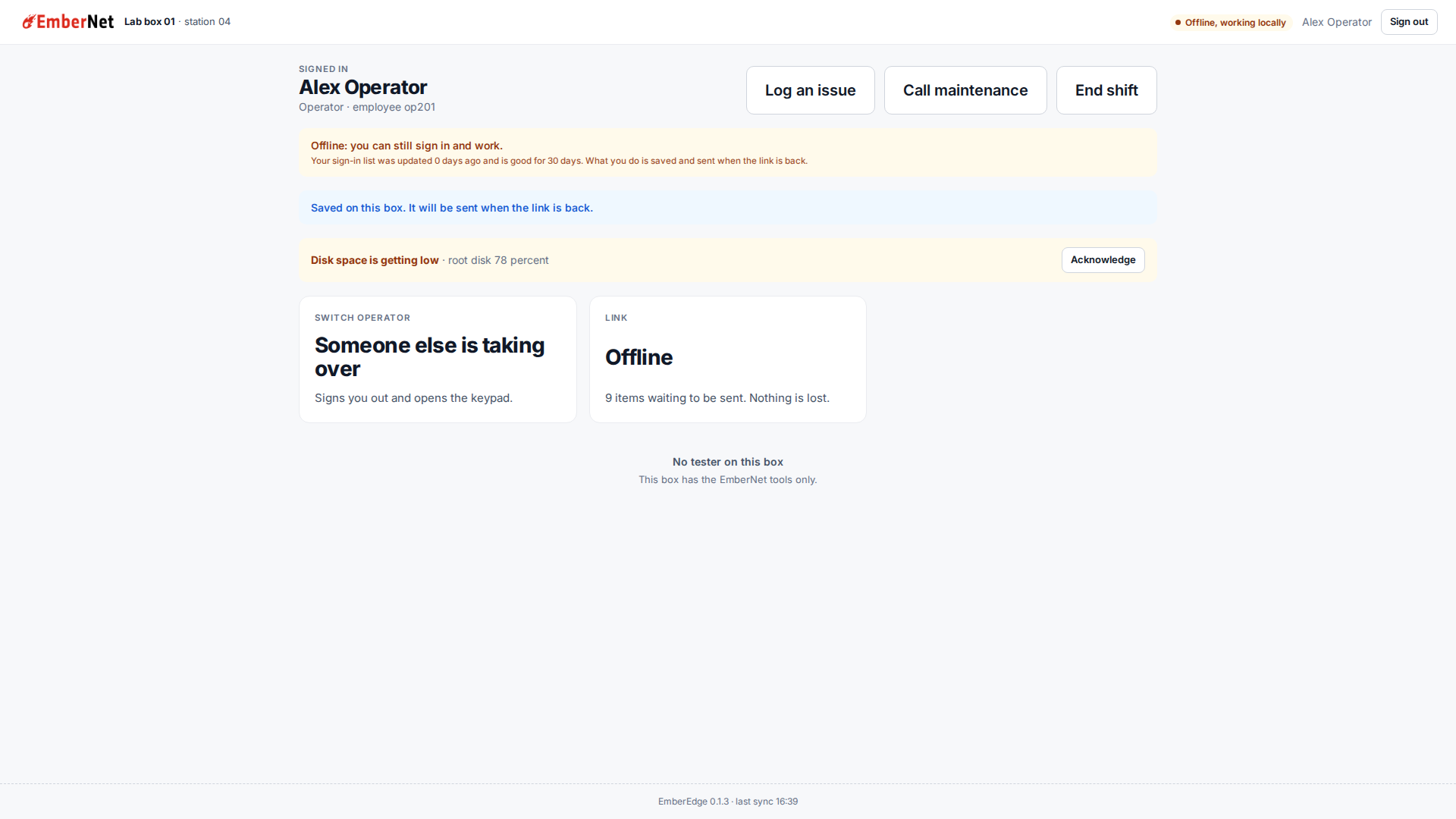
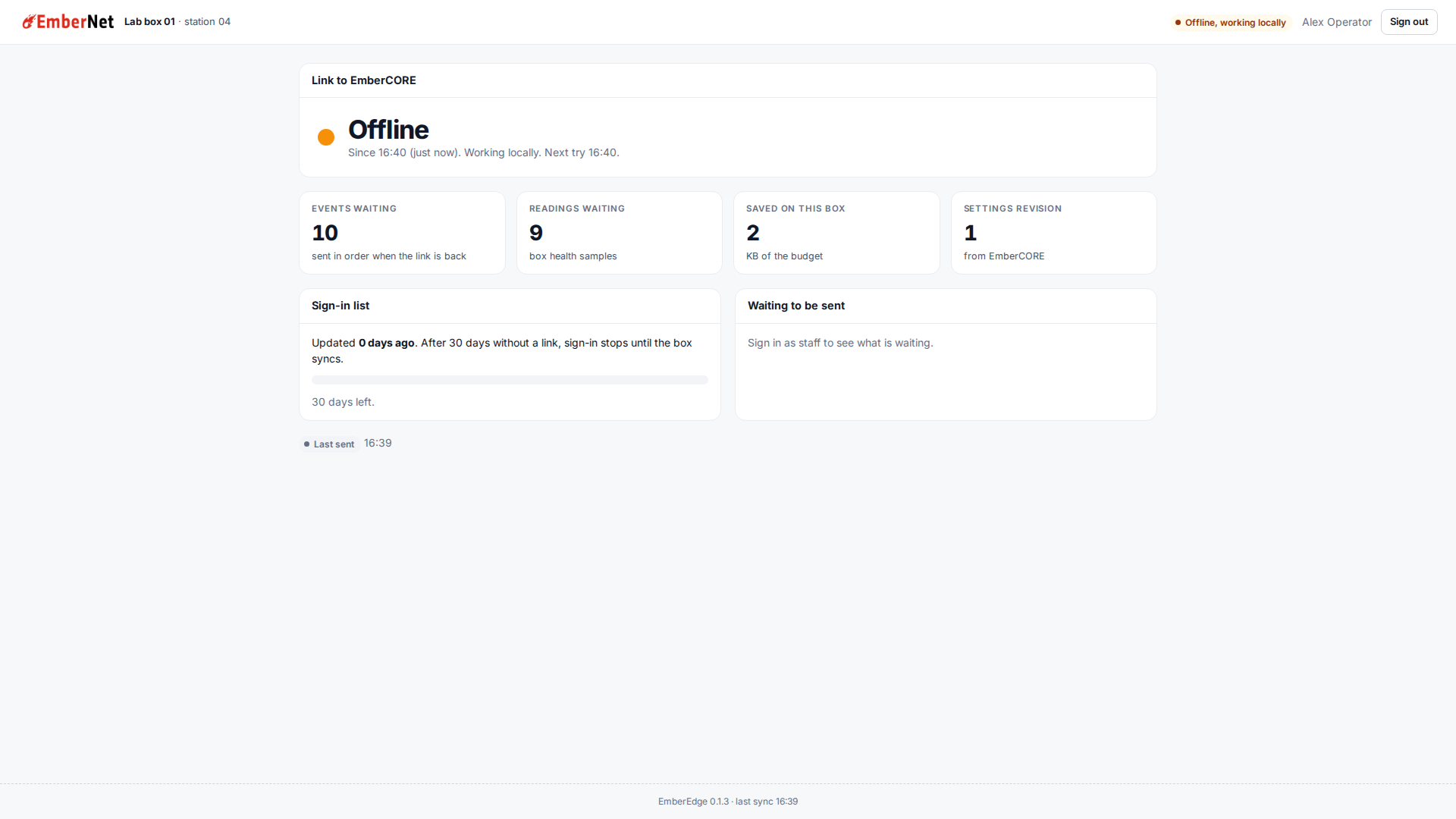
These are real screens from the shipped EmberEdge 0.1.3 image, running in a lab with sample people. The keypad is the sign-in. Home carries the floor actions, any active alert, and the link state.
The sync tries Flux first. If Flux is not carrying it, EmberEdge syncs over HTTPS to EmberCORE and says so on the Link page, then goes back to Flux as soon as it answers. With neither, operators keep signing in with the list the box already holds, and what they log is saved and sent in order when a link is back.
Every screen is described step by step in the EmberEdge documentation.
Let's talk about your plant and the people who run it.